


Lighthouse Core Facility
The Lighthouse Core Facility was founded to give investigators access to a broad spectrum of fluorescence-based technologies useful in answering research questions in the areas of cell and molecular biology. For more information about what instruments and services are available at the facility and how you can take advantage of what we have to offer, click on the appropriate sections below.
Universitätsklinikum Freiburg
Zentrum für Translationale Zellforschung (ZTZ)
Department of Medicine I
Tumorzentrum Freiburg - CCCF/DKTK
Center for Chronic Immune Deficiency - CCI
Online Booking:
Online Booking Calendar (registration required)
Contact:
Lighthouse Core Facility
Telephone: +49 761 270-63770
Telefax: +49 761 270-63780
Email: Lighthouse Facslab
Address:
Universitätsklinikum Freiburg
Lighthouse Core Facility
Zentrum für Translationale Zellforschung (ZTZ)
Breisacher Straße 115
D-79106 Freiburg
Germany
New booking system "PPMS"
All booking calendars are accessible via the internet from outside the Uniklinik intranet.
Since 1st of February 2026 please use “PPMS” at https://ppms.eu/uni-freiburg-med/login/
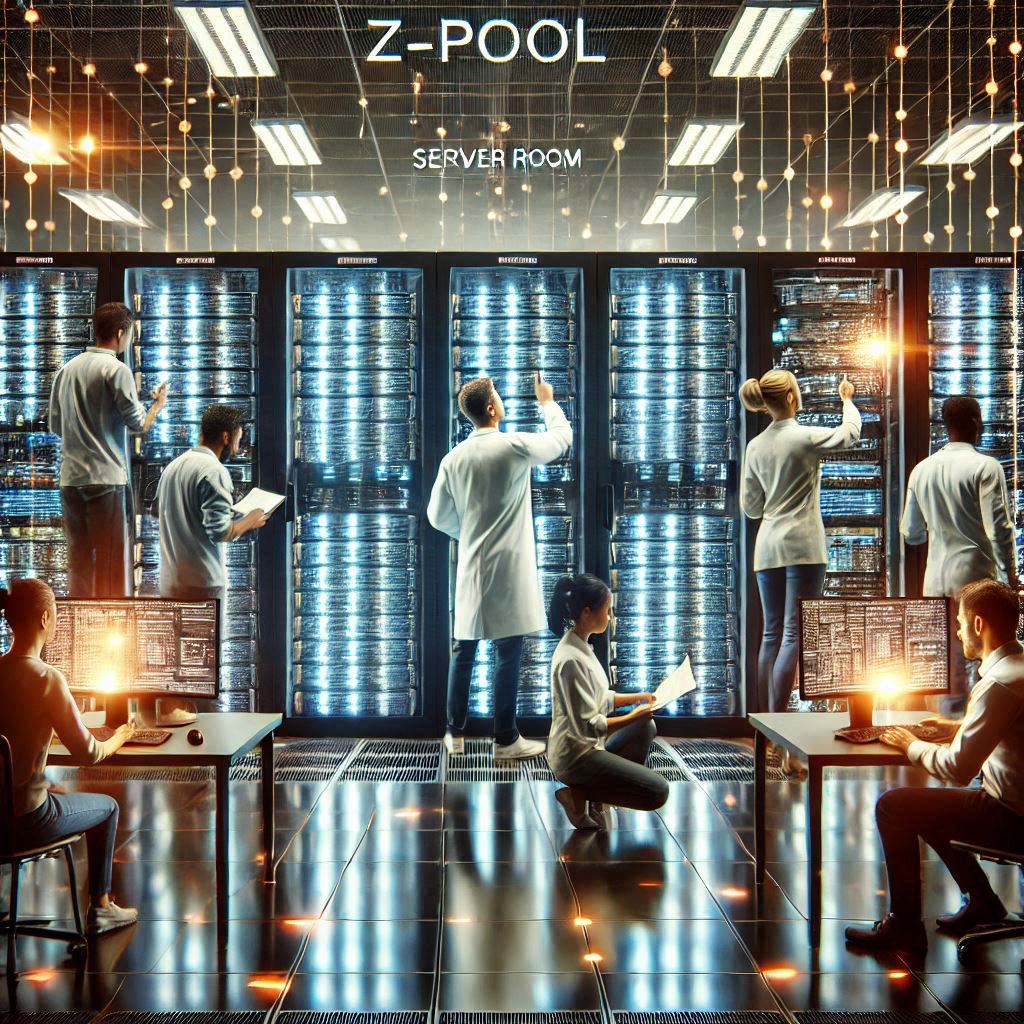
Z-Pool Serverraum Symbolbild
Extended Pool Server Capacities
We are pleased to announce that our exchange server “Pool Z” now has more space than ever before. However, it is still only used to transfer files acquired on our devices to your own servers. It is expressly not for long term storing your files. These are automatically deleted from the Z-Pool after 4 weeks without backup. It is therefore essential that you ensure that your data is not lost. Only persons registered with us have access to the Z-Pool server. Please contact us if necessary.
Wir freuen uns mitteilen zu können, dass unser Austauschserver "Pool Z" nun über mehr Platz als je zuvor verfügt. Allerdings dient er nach wie vor ausschließlich zum Transfer der an unseren Geräten akquirierten Dateien auf Ihre eigenen Server. Ausdrücklich nicht zur Lagerung/Speicherung Ihrer Dateien. Diese werden nämlich nach 4 Wochen automatisch und ohne Backup vom Z-Pool gelöscht. Tragen Sie also unbedingt Sorge, dass Ihre Daten nicht verloren gehen. Zugang zum Z-Pool-Server erhalten nur bei uns registrierte Personen. Wenden Sie sich bitte gegebenenfalls an uns.
Cloud Licenses
Lighthouse now has a FluoroFinder Academic Plus Sitewide License. Fluorofinder has many useful tools to help you get started with panel design, in addition to a spectra viewer, validated panels, and directories of antibodies and fluorophores. All Lighthouse cytometers (analyzers and sorters) are listed on Fluorofinder, to make it easier for our users to develop panels for their experiments. Access for all is free, with more advanced tools available under the Sitewide license (for example AI Intellipanel tool). If you would like access to the Lighthouse Academic Plus Sitewide license, please contact us at FACSlab@uniklinik-freiburg.de and we will have your account activated.
Lighthouse also has a Cytobank Premium Cloud License, with many tools for dimensionality reduction, correction of batch effects and other useful tools for high-end cytometry analysis. All Lighthouse users can use the license. To get access to Cytobank, please contact us at FACSlab@uniklinik-freiburg.de and we will have your account activate.
Fortessa Trainings
Content of the Basic Fortessa Introduction Course
- Principle & construction of a flow cytometer
- Startup operations, operation and shutdown procedures
- Replacement of sheath and waste canisters
- Sample preparation
- Sample measurement
- Sample handling and disposal of GMOs according to the “Gentechnikgesetz (GenTG)”
- Spectral overlap compensation
- Operating FACSDiva software
- Troubleshooting
- Operating booking system and input screen (for billing)
- Optional: More detailed information about FACSDiva & flow cytometry in general.
If you would like to use our Fortessa flow cytometers you need to receive an instruction on these instruments from us. The introduction is mainly done by watching several informative online videos. After you have watched all videos you will be invited to an appointment for a small written test and the chance to clarify your questions. The events are limited to a max. no. of 2 participants at a time. The on-site introductions can be in German or English. If you require training on this device, please check whether you meet the requirements (registration with the PPMS booking system). Select a suitable date here and apply for training in PPMS via “Request”/“Training Request” and the “Flow Cytometry (FACS) Training Request” form for a binding reservation.
The introductions consists of:
- several links to instructional videos (total running time about 3hrs)
- an on-site appointment for questions and the short written test (max 1.5hrs for 2 people)
You will then have about usually 1-2 weeks time to register yourself at PPMS and to watch the videos.
At an individual on-site appointment for a maximum of 2 persons each (duration in total maximum 90 min.), the formalities are then completed (including a 10-minute written test) and, if possible, permission to use the equipment is granted.
The next dates for the on-site appointments and final exams are planned for:
- 18.11.2026
- 30.11.2026
- 15.12.2026
- 12.01.2027
- 27.01.2027
- 11.02.2027
- 26.02.2027
- 09.03.2027
- 24.03.2027
- 08.04.2027
- 23.04.2027
- 04.05.2027
- 19.05.2027
- 03.06.2027
- 18.06.2027
- 29.06.2027
- to be continued
CytoFLEX LX Trainings
Content of the CytoFLEX LX Introduction Course
Please note: Successfully participation on our “FACS-Fortessa-Basics-Course” beforehand is mandatory.
You will learn:
- Startup operations, operation and shutdown procedures
- Replacement of sheath and waste canisters
- Sample preparation
- Sample measurement
- Sample handling and disposal of GMOs according to the “Gentechnikgesetz (GenTG)”
- Spectral overlap compensation
- Operating CytExpert software
- Troubleshooting
Since February 2025 we offer the on-site training courses for this flow cytometer.
If you would like to use our CytoFLEX LX flow cytometers and have not yet received instruction on this instruments from us, please send us an email to facslab(ät)uniklinik-freiburg.de with your preferred date for the instruction. You will then receive an email from us with all details and information.
At an individual on-site appointment for a maximum of 2 people each (duration in total maximum 90 min.), the formalities are then completed and, if possible, permission to use the equipment is granted.
The next dates for the on-site appointments are planned for starting at 9:00 AM on:
- 23.10.2026 (in English)
- 13.11.2026 (auf Deutsch / in German)
- 04.12.2026 (in English)
- 18.12.2026 (auf Deutsch / in German)
- to be continued
SONY Spectral Analyzer
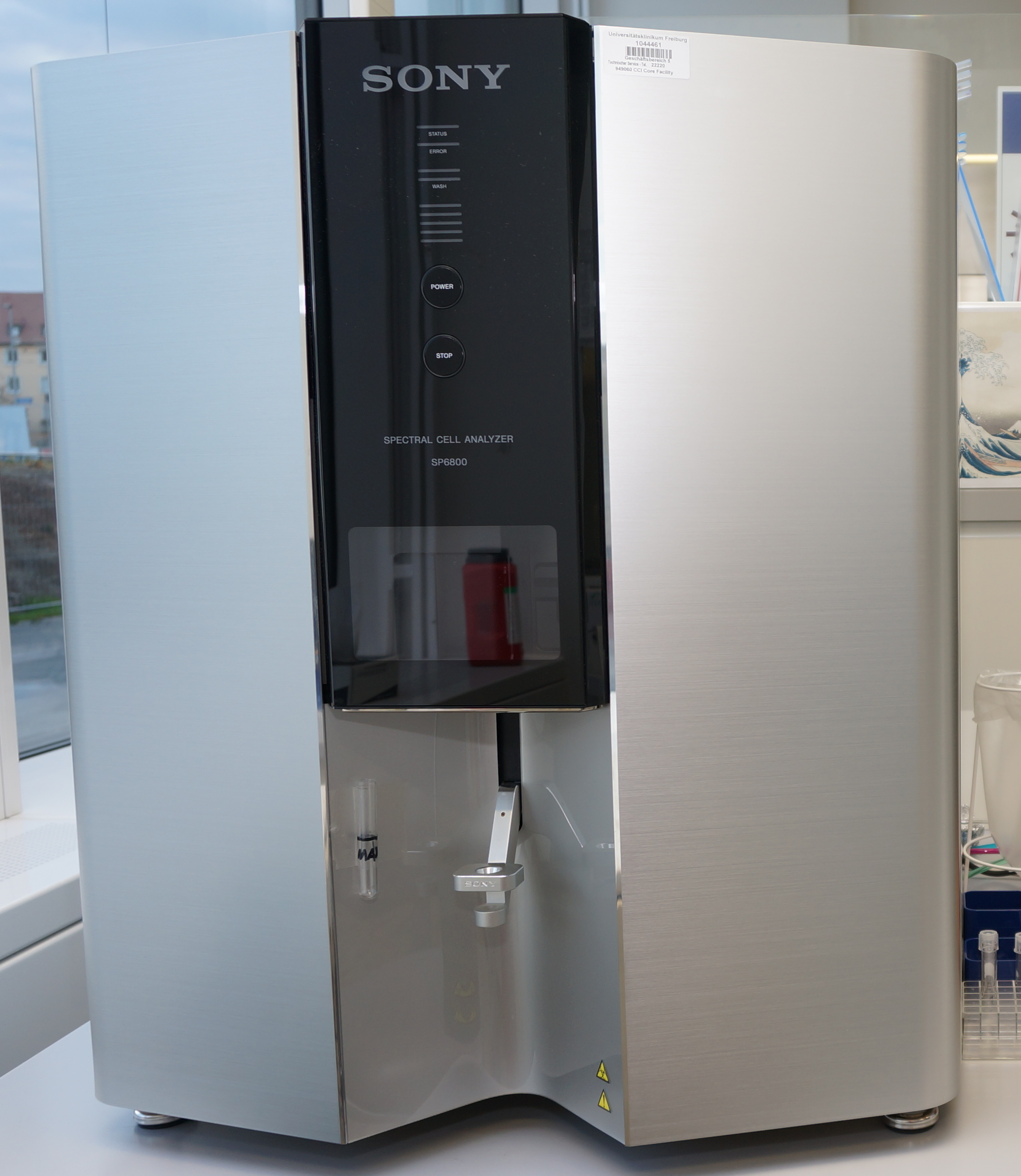
We offer basic user introductions for the Sony FACS Analyzer in the Lighthouse Core Facility.
The event is limited to a max. no. of 2 participants. The introduction can be in German or English. If you are interested please email us (sony(ät)core-facility.de and date of the training you would like to book) for a binding reservation.
Where: Lighthouse Core Facility, ZTZ, ground floor, room 009, bay 3 at the Sony Analyzer
When: All possible dates and times are here...
Visiting any introduction is free of charge and required before using the Sony Analyzer at the Lighthouse Core Facility.
Please bring pen and paper for your notes in any case and your own lab coat if you are based at ZTZ.
Note: The number of participants is limited and the registration is binding after confirmation by us. If you are unable to attend, please let us know as soon as possible. So there is still a chance for substitutes.
More information about the course.
Microscopy Trainings
Content of the Microscopy Trainings
Please note: There are several different microscopy systems available which need selective introductions before usage.
You will learn:
- Startup operations, operation and shutdown procedures
- Sample preparation
- Sample acquisition
- Sample handling and disposal of GMOs according to the “Gentechnikgesetz (GenTG)”
- Spectral overlap compensation
- Operating corresponding software
- Troubleshooting
If you would like to use our widefield, confocal or high throughput systems and have not yet received instruction on this instruments from us, please request a training by send us an email to facslab(ät)uniklinik-freiburg.de with your preferred date for the instruction. You will then receive an email from us with all details and information.
Confocal microscopy basic course (on LSM710/880):
Confocal Microscopy Induction: Course Syllabus
Systems: Zeiss LSM Series (710/880/900/980) with Airyscan Technology
I. Theoretical Foundation: The Confocal Principle
- Physics of Confocality: Understanding the pinhole, optical sectioning, and the rejection of out-of-focus light.
- The Light Path:
- Excitation: Laser lines and Acousto-Optical Tunable Filters (AOTF).
- Emission: Secondary Dichroic Mirrors (SDM) and spectral detection.
- Resolution and Contrast:
- The relationship between Pinhole size (Airy Units) and Z-section thickness.
- Nyquist sampling criteria for XY and Z.
- Airyscan Technology: Super-resolution concepts (1.7x improvement) and the 32-channel GaAsP detector array.
II. Hardware Overview & Start-up Procedures
- The Axio Imager Stand: Introduction to the motorized widefield components (eyepieces, condenser, and internal light paths).
- Objective Care: Proper use of immersion media (Oil, Water, Glycerol) and the critical "cleaning after use" protocol.
- Safe Start-up Sequence:
- Main power/Component switches.
- Systems/PC initialization.
- Laser activation (warm-up requirements).
- Incubation (if applicable): Setting up the heating and CO2 modules for live-cell imaging.
III. Software Operation (ZEISS ZEN Blue/Black)
- The Workflow Concept: Locate (Widefield) vs. Acquisition (Confocal) modes.
- Image Setup:
- Configuring Smart Setup vs. Manual configuration.
- Detectors: Setting Gain (Master), Offset, and Laser Power to minimize phototoxicity and bleaching.
- Advanced Acquisition Modules:
- Z-Stacks: Defining bounds and optimal step size.
- Tile Scanning: Stitching and focus surface mapping (Definite Focus).
- Time Lapse: Managing temporal resolution and focus drift.
- Airyscan Processing: Introduction to the "Airyscan Processing" tab and 2D/3D SR reconstruction.
IV. Data Management & Best Practices
- The .CZI Format: Why you should always save in the native Zeiss format to preserve metadata.
- Storage Policy:
- Local vs. Server storage (D: Drive policy).
- Automatic deletion/cleanup cycles of the facility.
- Metadata: How to retrieve acquisition settings from existing files for reproducibility.
V. System Shutdown & Quality Control
- The "Next User" Rule: Checking the facility calendar before complete shutdown.
- Cool-down Protocol: Proper laser venting and shutdown sequence to protect sensitive electronics.
- Hardware Maintenance:
- Cleaning objectives with lens tissue and Sparkle/Ethanol.
- Leave the system on lower magnification objective.
- Reporting: How to log hours and report technical issues or hardware errors.
At an individual on-site appointment for a maximum of 2 people each (duration in total maximum 180 min.), the formalities are then completed and, if possible, permission to use the equipment is granted.
Always watch all videos on this list to be prepared for the course!
The next dates for the on-site appointments are planned from 9:00 -12:00 on:
- 28.09.2026
- 12.10.2026
- 26.10.2026
- 09.11.2026
- 23.11.2026
- 07.12.2026
- to be continued
Other confocal systems advanced introduction
Zeiss LSM980
Confocal Microscopy Induction: Course Syllabus
Systems: Zeiss LSM Series (880/900/980) with Airyscan Technology
I. Theoretical Foundation: The Confocal Principle
- Physics of Confocality: Understanding the pinhole, optical sectioning, and the rejection of out-of-focus light.
- The Light Path:
- Excitation: Laser lines and Acousto-Optical Tunable Filters (AOTF).
- Emission: Secondary Dichroic Mirrors (SDM) and spectral detection.
- Resolution and Contrast:
- The relationship between Pinhole size (Airy Units) and Z-section thickness.
- Nyquist sampling criteria for XY and Z.
- Airyscan Technology: Super-resolution concepts (1.7x improvement) and the 32-channel GaAsP detector array.
II. Hardware Overview & Start-up Procedures
- The Axio Imager Stand: Introduction to the motorized widefield components (eyepieces, condenser, and internal light paths).
- Objective Care: Proper use of immersion media (Oil, Water, Glycerol) and the critical "cleaning after use" protocol.
- Safe Start-up Sequence:
- Main power/Component switches.
- Systems/PC initialization.
- Laser activation (warm-up requirements).
- Incubation (if applicable): Setting up the heating and CO2 modules for live-cell imaging.
III. Software Operation (ZEISS ZEN Blue/Black)
- The Workflow Concept: Locate (Widefield) vs. Acquisition (Confocal) modes.
- Image Setup:
- Configuring Smart Setup vs. Manual configuration.
- Detectors: Setting Gain (Master), Offset, and Laser Power to minimize phototoxicity and bleaching.
- Advanced Acquisition Modules:
- Z-Stacks: Defining bounds and optimal step size.
- Tile Scanning: Stitching and focus surface mapping (Definite Focus).
- Time Lapse: Managing temporal resolution and focus drift.
- Airyscan Processing: Introduction to the "Airyscan Processing" tab and 2D/3D SR reconstruction.
IV. Data Management & Best Practices
- The .CZI Format: Why you should always save in the native Zeiss format to preserve metadata.
- Storage Policy:
- Local vs. Server storage (D: Drive policy).
- Automatic deletion/cleanup cycles of the facility.
- Metadata: How to retrieve acquisition settings from existing files for reproducibility.
V. System Shutdown & Quality Control
- The "Next User" Rule: Checking the facility calendar before complete shutdown.
- Cool-down Protocol: Proper laser venting and shutdown sequence to protect sensitive electronics.
- Hardware Maintenance:
- Cleaning objectives with lens tissue and Sparkle/Ethanol.
- Leave the system on lower magnification objective.
- Reporting: How to log hours and report technical issues or hardware errors.
At an individual on-site appointment for a maximum of 2 people each (duration in total maximum 180 min.), the formalities are then completed and, if possible, permission to use the equipment is granted.
The next dates for the on-site appointments are planned from 9:00 -12:00 on:
- 05.10.2026
- 19.10.2026
- 02.11.2026
- 16.11.2026
- 30.11.2026
- 14.12.2026
- to be continued
Zeiss CD7/LSM900
Confocal Microscopy Induction: Course Syllabus
Systems: Zeiss LSM Series (800/900/980) with Airyscan Technology
I. Theoretical Foundation: The Confocal Principle
- Physics of Confocality: Understanding the pinhole, optical sectioning, and the rejection of out-of-focus light.
- The Light Path:
- Excitation: Laser lines and Acousto-Optical Tunable Filters (AOTF).
- Emission: Secondary Dichroic Mirrors (SDM) and spectral detection.
- Resolution and Contrast:
- The relationship between Pinhole size (Airy Units) and Z-section thickness.
- Nyquist sampling criteria for XY and Z.
- Airyscan Technology: Super-resolution concepts (1.7x improvement) and the 32-channel GaAsP detector array.
II. Hardware Overview & Start-up Procedures
- The Axio Imager Stand: Introduction to the motorized widefield components (eyepieces, condenser, and internal light paths).
- Objective Care: Proper use of immersion media (Oil, Water, Glycerol) and the critical "cleaning after use" protocol.
- Safe Start-up Sequence:
- Main power/Component switches.
- Systems/PC initialization.
- Laser activation (warm-up requirements).
- Incubation (if applicable): Setting up the heating and CO2 modules for live-cell imaging.
III. Software Operation (ZEISS ZEN Blue/Black)
- The Workflow Concept: Locate (Widefield) vs. Acquisition (Confocal) modes.
- Image Setup:
- Configuring Smart Setup vs. Manual configuration.
- Detectors: Setting Gain (Master), Offset, and Laser Power to minimize phototoxicity and bleaching.
- Advanced Acquisition Modules:
- Z-Stacks: Defining bounds and optimal step size.
- Tile Scanning: Stitching and focus surface mapping (Definite Focus).
- Time Lapse: Managing temporal resolution and focus drift.
- Airyscan Processing: Introduction to the "Airyscan Processing" tab and 2D/3D SR reconstruction.
IV. Data Management & Best Practices
- The .CZI Format: Why you should always save in the native Zeiss format to preserve metadata.
- Storage Policy:
- Local vs. Server storage (D: Drive policy).
- Automatic deletion/cleanup cycles of the facility.
- Metadata: How to retrieve acquisition settings from existing files for reproducibility.
V. System Shutdown & Quality Control
- The "Next User" Rule: Checking the facility calendar before complete shutdown.
- Cool-down Protocol: Proper laser venting and shutdown sequence to protect sensitive electronics.
- Hardware Maintenance:
- Cleaning objectives with lens tissue and Sparkle/Ethanol.
- Leave the system on lower magnification objective.
- Reporting: How to log hours and report technical issues or hardware errors.
At an individual on-site appointment for a maximum of 2 people each (duration in total maximum 180 min.), the formalities are then completed and, if possible, permission to use the equipment is granted.
The next dates for the on-site appointments are planned from 9:00 -12:00 on:
- 23.09.2026
- 07.10.2026
- 21.10.2026
- 04.11.2026
- 18.11.2026
- 02.12.2026
- 16.12.2026
- 13.01.2027
- 27.01.2027
- 10.02.2027
- 24.02.2027
- 10.03.2027
- To be continued
Axio Scan 7
Whole Slide Imaging Induction: Course Syllabus
System: ZEISS Axioscan 7 High-Performance Slide Scanner
I. Introduction to Automated Slide Scanning
- The Axioscan Concept: Moving from manual microscopy to "Digitize & Analyze" workflows.
- Imaging Modalities:
- Brightfield: For H&E and IHC-stained histology.
- Fluorescence: High-speed multiplexing (up to 9 channels) using Colibri 7 LED sources.
- Polarization: Quantitative petrography for geological thin sections or specialized clinical applications.
- Hardware Capabilities:
- Capacity: Loading up to 100 slides (standard 26 x 76 mm) for 24/7 autonomous operation.
- Cameras: Axiocam 705 (color) for brightfield and Axiocam 712 (mono) for high-sensitivity fluorescence.
II. Sample Preparation: The Golden Rules
- Slide Integrity: Slides must be clean, free of excess mounting medium, and have no overhanging coverslips.
- Labeling: Best practices for barcodes/QR codes to enable LIMS integration and automated metadata population.
- Tray Loading: Correct orientation of slides in the magazine (up to 25 trays of 4 slides) and ensuring trays are securely seated.
III. System Startup & Software Setup
- Hardware Initialization:
- Main Power Supply.
- Workstation Boot-up.
- Light Sources (Colibri 7 / X-Cite).
- ZEN Slidescan Interface:
- Navigating the Magazine View for an overview of all loaded slides.
- Scan Profiles: Using "Master" profiles vs. creating custom templates for different tissue types.
- Storage Location: Strict policy of saving to the local D: Drive first to prevent network bottlenecks during high-speed acquisition.
IV. The Automated Workflow (Step-by-Step)
- Step 1: The Preview (Pre-scan): Rapid low-magnification overview to locate tissues.
- Step 2: Tissue Detection: Utilizing the Tissue Detection Wizard (or AI-based detection) to automatically define Regions of Interest (ROIs).
- Step 3: Focus Strategy:
- Setting up focus maps (global vs. local focus points).
- Autofocus optimization for varied tissue thicknesses.
- Step 4: Acquisition Settings:
- Brightfield: White balance and shading correction (flat-fielding).
- Fluorescence: Setting exposure times and "Fast Switching" filter wheel configurations.
- Z-Stacks/EDF: Extended Depth of Field for thick samples.
V. Post-Processing & Data Management
- The .CZI Ecosystem: Navigating large multi-gigabyte files in ZEN Lite or specialized viewers (e.g., QuPath).
- Stitching & Calibration: Automatic alignment of tiles and system self-calibration for reproducible image quality.
- Data Export: Moving data from local scratch disks to facility servers or cloud storage platforms.
VI. Shutdown & Facility Etiquette
- Safe Unloading: Using the "Unload" command before opening the magazine door to prevent mechanical jams.
- Cleanup: Checking trays for broken glass or leaking oil/medium.
- Shutdown Sequence: Cooling down LED sources and following the designated "Last User" shutdown procedure.
- Error Reporting: How to log issues in the facility management software.
At an individual on-site appointment for a maximum of 2 people each (duration in total maximum 180 min.), the formalities are then completed and, if possible, permission to use the equipment is granted.
The next dates for the on-site appointments are planned from 9:00 -12:00 on:
- 30.09.2026
- 14.10.2026
- 28.10.2026
- 11.11.2026
- 25.11.2026
- 09.12.2026
- 20.01.2027
- 03.02.2027
- 17.02.2027
- 03.03.2027
- To be continued
Lightsheet 7
Light Sheet Fluorescence Microscopy (LSFM) Induction: Course Syllabus
System: ZEISS Lightsheet 7 (Latest 2026 Configuration)
When imaging with the Lightsheet 7, 50% of your success depends on sample mounting. If the sample moves or the Refractive Index is mismatched, the data will be unusable regardless of the software settings."
I. Foundations of Light Sheet Microscopy
- The LSFM Principle: Decoupling the illumination and detection axes to achieve 90° orthogonal imaging.
- Advantages of Light Sheet:
- Minimal Phototoxicity: Low light dose for long-term live-cell imaging (embryogenesis, organoids).
- High Speed: Megapixel-per-second acquisition using sCMOS cameras.
- Dual-Sided Illumination: Understanding how the system uses two light sheets to compensate for absorption and scattering in large samples.
- Pivot Scanning: Using the laser "pivot" to eliminate shadows/stripes caused by dense structures in the sample.
II. Sample Mounting & Optics (The Most Critical Step)
- The Sample Chamber: Proper cleaning and assembly of the imaging chamber (trans-illumination vs. fluorescence).
- Refractive Index (RI) Matching:
- Choosing the correct objective for the medium (Water, Clearing agents like Scale, BABB, or SeeDB).
- Adjusting the Correction Collar for specific RIs (ranging from 1.33 to 1.58).
- Mounting Techniques:
- FEP Tubing: For live embryos or organoids.
- Agarose Embedding: Suspending samples in glass capillaries.
- Glue/Hooks: For large, cleared whole organs (e.g., mouse brain/kidney).
III. System Start-up & Hardware Configuration
- Power-up Sequence: Components, PC, and Laser modules.
- Objective Installation: Careful handling of the specialized LSFM detection and illumination optics.
- Alignment (Adjust Tool):
- Calibrating the overlap of the two light sheets.
- Centering the light sheet in the focal plane of the detection objective.
IV. ZEN Software: Multi-View Acquisition
- The Workflow: "Locate" for sample positioning and "Acquisition" for experiment setup.
- Multi-View Setup:
- Rotating the sample (360°) to find the best imaging angle.
- Defining multiple views for later 3D reconstruction/fusion.
- Advanced Modules:
- Multiside Imaging: Balancing the left and right illumination intensity.
- Z-Stacks: Setting the start/stop and "Optimal" step size for LSFM.
- Time Lapse: Managing focus drift and environmental controls (heating/CO₂).
V. Data Management (The "Big Data" Challenge)
- File Sizes: A single experiment can easily exceed 500GB; discussion of the .CZI and BigDataViewer formats.
- Data Streaming: Best practices for writing directly to high-speed SSD arrays (D: Drive) to avoid frame drops.
- Offline Processing: Introduction to Multiview Reconstruction, Deconvolution, and Image Stitching requirements.
VI. System Maintenance & Safety
- Chamber Decontamination: Strict protocols for cleaning after using toxic clearing agents or live biological samples.
- Objective Care: Cleaning the specialized dipping lenses to prevent RI-matching fluid residue buildup.
- Laser Safety: Procedures for a system with an open sample chamber.
- Reporting: Logging usage hours and reporting any leaks or mechanical irregularities in the capillary drive.
Please contact us: Advanced training for Lightsheet 7
We will get in touch with you for a training appointment.
Widefield systems basic introduction (on Axio Imager or Axio Observer or SteREO)
Please contact us: Training for widefield
We will get in touch with you for a training appointment.
High throughput systems introduction (on ScanR, Akoya Phenocycler or IncuCyte)
Please contact us: Training for high troughput
We will get in touch with you for a training appointment.
Online Booking System
Our booking system for our equipment has changeg: All booking calendars are accessible via the internet from outside the Uniklinik intranet.
Since 1st of February 2026 please use “PPMS” at https://ppms.eu/uni-freiburg-med/login/
For getting an overview how to user PPMS please have a look here: https://uni-freiburg.de/med/ppms-quick-reference-guide-how-to-start/
Sorter Booking Online
For the cell sorters, you can use the new calendar to look online at current bookings to find an available sorting slot, and you can even request a specific sort time by provisionally reserving a sort appointment in advance. If the requested appointment is accepted, you will receive a written confirmation of the desired appointment. Only then is your sort appointment considered "officially" to be scheduled.
Our new calendar system can be easily accessed, even from outside the Uniklinik network via the Internet. However, to access the system you first have to register as a user in it. For users with an Uniklinik LDAP login the registration process is very straightforward. Using your LDAP login and the corresponding password you can log in. This will automatically send us a request to activate your account. Once your user account has been activated, you might receive a one-time confirmation email from us. After that, you can then use the system.
External users (Vorklinik, University) can also access the system. To do so, please visit https://ppms.eu/uni-freiburg-med/login/?pf=2 and click "user account creation request".
The address of the new Lighthouse booking system can be found at the following link: https://ppms.eu/uni-freiburg-med/
Recognized core facility of the Medical Faculty
Lighthouse is a recognized Core Facility of the Medical Faculty of the University of Freiburg.

RIsources
Lighthouse is part of the RIsources Database of the DFG.
The RIsources listing simplifies applying for funding for the use of Lighthouse services within DFG grant applications.
Cytometry.de
Lighthouse plays an active role in the core facility community of the DGfZ/Deutsche Gesellschaft für Zytometrie and is also part of the CoMaCo (German Cytometry Core Manager Committee), which organizes the German Flow Core Summit and the Flow Core Networking activities at the DGfZ annual meeting.

German BioImaging
Lighthouse is also a member facility of GerBI / German BioImaging (Gesellschaft für Mikroskopie und Bildanalyse e.V.)

MIAP
Lighthouse is a member unit of the Microscopy and Image Analysis Platform (MIAP), a tri-national network of microscopy and image analysis facilities from our region, including Freiburg, Basel, Strasbourg and the surrounding area.
Our user fees cover only a small fraction of our total running costs. In fact, most of the running costs are covered by our home institutes (Department of Medicine I, Center for Chronic Immunodeficiency, DKTK/Comprehensive Cancer Center Freiburg) and the Medical Faculty,- University of Freiburg, while the majority of our machines were financed with the assistance of public funding sources such as the DFG, Land Baden-Württemberg, or BMBF. We therefore depend on proper acknowledgements in publications and grants and proper listing of the project numbers below.
Specific Project Numbers
Our general support project number from the Medical Faculty (2025/B3-Fol) should always be listed, along with the specific instrument or service area project number(s) as listed below:
| Service Area | Project Number |
|---|---|
| For all core facility services | Medical Faculty, University of Freiburg – Project Number 2025/B3-Fol |
| Cell Sorting | DFG - Project Number 450392965 |
Publications, posters or presentations that make use of Lighthouse/IMITATE services or equipment, or of data collected in the facility or by its staff should always list these project numbers in the respective acknowledgement/funding sections such as in the example below:
Lighthouse Core Facility is funded in part by the Medical Faculty, University of Freiburg (Project Numbers 2023/A2-Fol; 2021/B3-Fol) and the DFG (Project Number 450392965).
If you wish to in addition explicitly thank a member of the staff, just name the particular person(s) involved, here listed alphabetically:
J. Bodinek-Wersing
E. Bodurova
FA Ditengou
M. Follo
D. Herchenbach
M. Selle
U. Gopakumar
Thank you.